

vercel.json file to proxy requests from your main domain to your documentation at a subpath.
vercel.json file
Thevercel.json file configures how your project builds and deploys. It sits in your project’s root directory and controls various aspects of your deployment, including routing, redirects, headers, and build settings.
We use the rewrites configuration in your vercel.json file to proxy requests from your main domain to your documentation.
Rewrites map incoming requests to different destinations without changing the URL in the browser. When someone visits yoursite.com/docs, Vercel internally fetches content from your-subdomain.mintlify.dev/docs, but the user still sees yoursite.com/docs in their browser. This is different from redirects, which send users to another URL entirely.
Configuration
Host at /docs subpath
- Navigate to Custom domain setup in your dashboard.
-
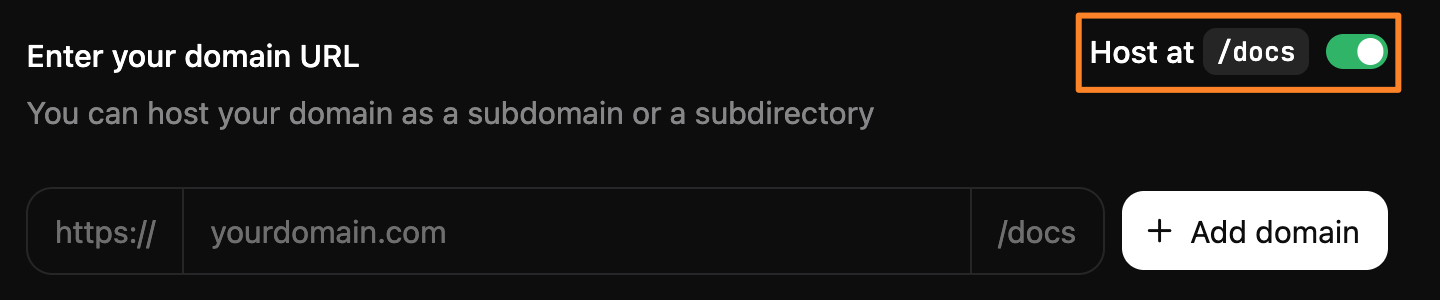
Click the Host at
/docstoggle to the on position.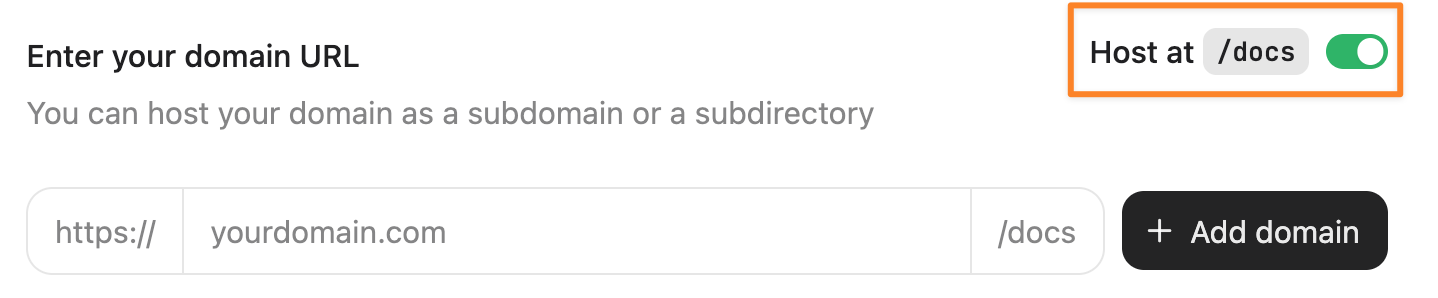
- Enter your domain.
- Select Add domain.
-
Add the following rewrites to your
vercel.jsonfile. Replace[subdomain]with your subdomain, which is found at the end of your dashboard URL. For example,dashboard.mintlify.com/your-organization/your-subdomainhas a domain identifier ofyour-subdomain.
rewrites configuration maps the /docs subpath on your domain to the /docs subpath on your documentation.
source: The path pattern on your domain that triggers the rewrite.destination: Where the request should be proxied to.:match*: A wildcard that captures any path segments after your subpath.
Host at custom subpath
Custom subpaths require a Custom plan and manual setup. Contact Mintlify support with details about your desired subpath and hosting setup.
/docs), you must organize your documentation files within your repository to match your subpath structure. For example, if your documentation is hosted at yoursite.com/help, your documentation files must be in a help/ directory.
Use the generator below to create your rewrites configuration. Add the rewrites to your vercel.json file.